Reach the lobby for the badge and banner
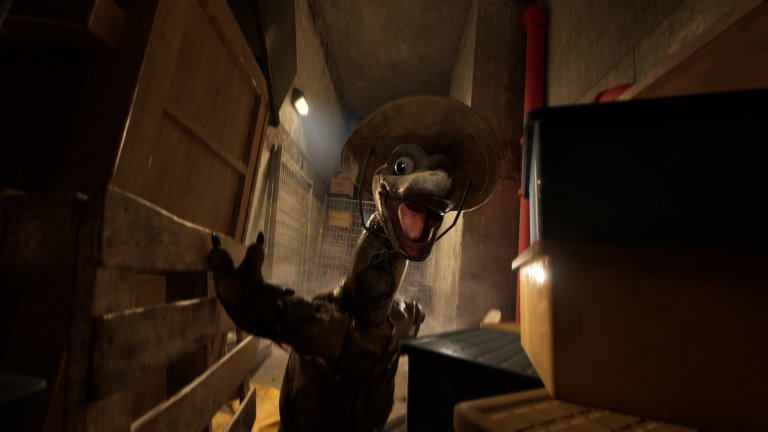
Enter the Dalton’s Dinos museum lobby to unlock the code for these two rewards.
Free guide tools, with no account required. Terrible Lizards DBD rewards: Find official reward steps and redemption links. Check eligibility on official sites; this guide does not collect codes.
The companion tools are free; the game is a separate purchase.
 Enlarge image
JSON restores progress · CSV is for spreadsheets. JSON import: max 1,000,000 bytes.
Terrible Lizards unlocks two Dead by Daylight reward codes at different points in the story. Follow Behaviour’s official redemption process for the code you have earned.
Enter the Dalton’s Dinos museum lobby to unlock the code for these two rewards.
Completing Level 2 unlocks the separate charm code.
Return to the Terrible Lizards main menu. Open “Dead by Daylight Rewards” at the lower right and obtain the code available to you.
Sign in to your Behaviour Account and link the relevant platform account. Go to Game Library → Dead by Daylight → Rewards, choose the matching Terrible Lizards campaign and select “Claim rewards”. Enter the code, select your platform and complete the ownership check before choosing “Get Rewards”.
If Dead by Daylight was running during redemption, close and reopen it. Look for the items in Customization; the official instructions say there is no in-game reward notification.
A missing code in Terrible Lizards and a rejected code on Behaviour Account are different problems. First identify which stage failed, then use the matching part of the official FAQ. Its Terrible Lizards section names the game developer’s contact for code generation or access problems; a website checklist cannot fix that game-side issue.
After a successful official redemption, use the confirmation and the game’s Customization screen rather than this page’s checkmarks. Behaviour says to reopen Dead by Daylight if it was running during redemption; no in-game notification is expected. If the official process did not succeed, recheck campaign, platform and ownership there instead of marking the reward as received here.
This checklist has no reward-code or password field. CSV can help you review or share which stages you recorded; JSON restores those manual records and is the only import format, up to 1,000,000 bytes. Keep codes and account credentials out of shared files or public posts. Neither export is an official claim receipt.
According to Behaviour’s linked instructions, entering the Dalton’s Dinos museum lobby unlocks the badge-and-banner code. Completing Level 2 unlocks a separate charm code. These are different story milestones; do not assume that unlocking one supplies both codes.
Return to the Terrible Lizards main menu and open Dead by Daylight Rewards at the lower right. Obtain the code made available by your progress. This guide does not generate codes, display a shared code or inspect your game account.
Use the official Behaviour Account website. Link the relevant platform account, then follow Game Library → Dead by Daylight → Rewards and choose the matching campaign. The official flow includes code entry, platform selection and an ownership check before Get Rewards.
No. The checklist only records which steps you have completed. It does not submit a code, log into Behaviour or make an eligibility decision. Complete the redemption on the official site and use its current instructions for account or platform questions.
The official instructions say there is no in-game reward notification. If Dead by Daylight was running during redemption, close and reopen it, then inspect Customization for the items. A website checkmark is not confirmation that a reward was granted.
Check the code’s unlocked milestone, chosen campaign, linked platform and ownership verification in the official flow. Current eligibility and redemption decisions belong to Behaviour. This guide does not invent an expiry date, bypass account checks or promise that every platform is eligible.